Why MCP is not enough when an AI agent writes your tender response
MCP gives an AI assistant access to your knowledge and tools. The precision a public tender demands comes from the workflow around the agent, not from the access.
Pentimenti
More and more established SaaS vendors are adding MCP to their products. Proposal software, content libraries and document systems can now be reached from ChatGPT, Copilot or Claude: look up an approved answer, save a draft back to the project, send content for review. The message is that proposal work can move into the AI assistant you already use.
That is fine. Nobody wants to open ten applications to find one answer.
But access is not the same as precision. MCP gives the assistant a way into an existing system. It does not change how that system handles the complexity of a public tender, and that is where precision comes from.
What MCP is, and what it is good for
MCP (Model Context Protocol) is an open standard that lets an AI assistant call tools in other systems: look something up, fetch a document, save an answer. It is a good standard. It lets you use one assistant across many systems instead of opening ten applications.
For some jobs it is exactly what you need. A salesperson answering a single security question from a customer, or a subject matter expert looking for the approved wording on backup, is well served by a lookup in a chat. If your work looks like that, MCP in Copilot may be enough.
A public tender does not look like that.
Where precision in a tender comes from
In a public tender the requirements are spread across the tender conditions, the requirements specification, the draft contract, the annexes and the buyer's answers to clarification questions. A bid that misses a mandatory requirement is non-compliant and must be rejected, however well the rest is written.
Precision therefore means four things: every requirement is found, every requirement is answered with the buyer's wording in mind, every answer sits in a specific place in the bid, and someone has checked all of it before submission. None of the four follows from the assistant having access to your knowledge.
Four things a toolbox does not give the agent
1. The agent only sees what it asks for
An MCP tool answers the lookup the assistant makes. The assistant decides what to look up. A penalty clause in annex 7 that nobody asked about does not exist in the conversation.
Finding every requirement is not a matter of running the right search. It takes reading the full tender pack, document by document, and writing each requirement down as its own row.
2. Approved content was approved for a different question
An answer in your content library was approved for an earlier tender. The new requirement looks similar, but it says "at least five years of experience" instead of three, or "all staff" instead of "key staff".
A lookup finds the closest answer. The requirement needs the answer that fits exactly. You can only check that when the requirement text and the answer sit side by side, and every sub-requirement has its own answer.
3. A conversation does not know how far you have got
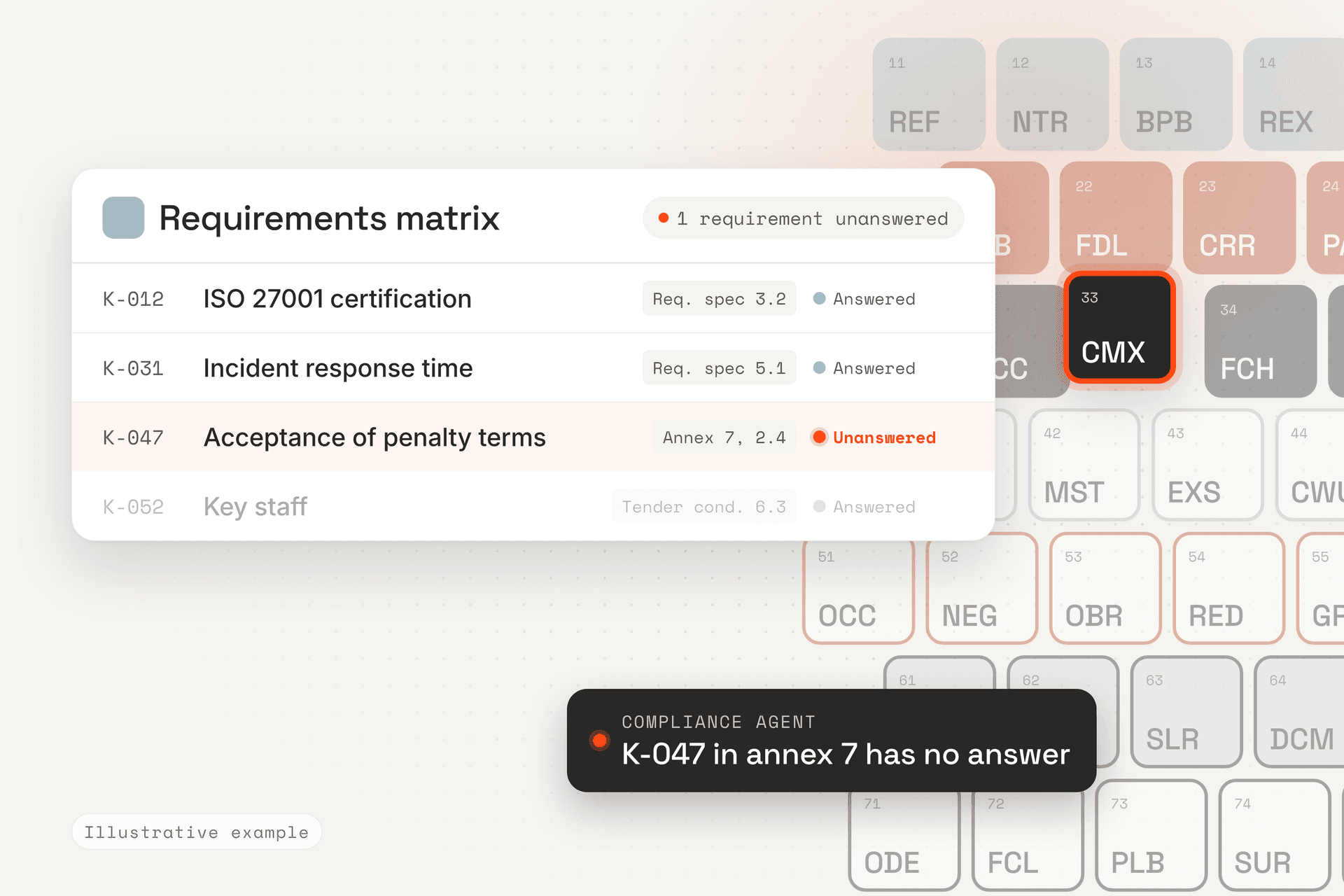
A tender runs for weeks, with several colleagues and a couple of amendments along the way. Who owns requirement K-047? Has it been answered? Was it tightened in amendment 2?
That is status, and status belongs in a requirements matrix, not in a chat. Saving an answer back to the project moves text. It does not tell you which requirements still have no answer.
4. Permissions are not the same as control
Many MCP integrations carry the user's existing permissions over into the assistant. Then you know who may change an answer. That matters, but it does not tell you whether the answer is right for this requirement.
Approval needs three things in front of the approver: where the requirement sits in the tender documents, where the answer comes from, and where in the bid it is answered.
Precision comes from the workflow, not the tools
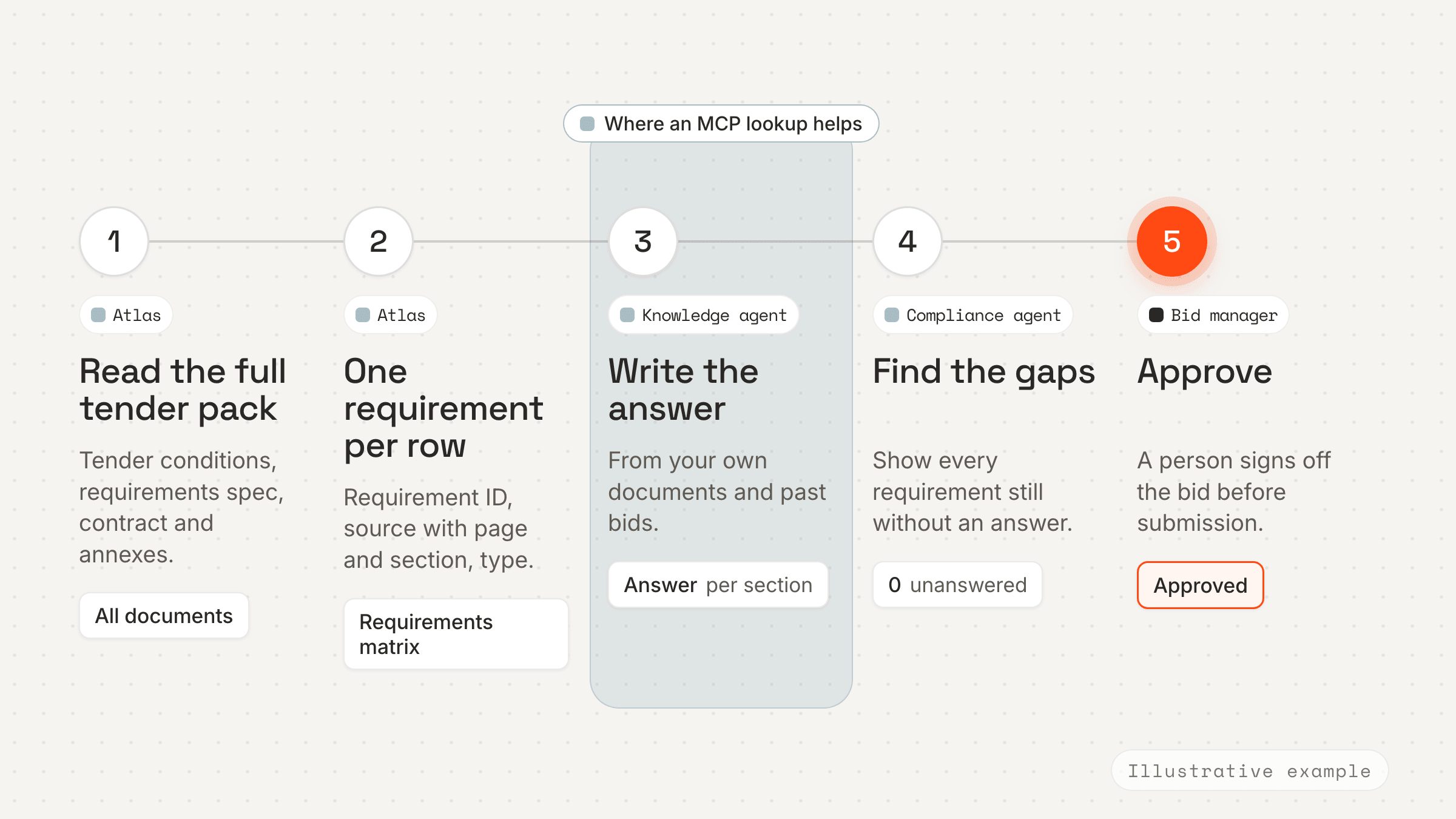
Tools are the agent's hands. They let it fetch and save. What makes the result precise is the structure the agent works inside: the full tender pack read, each requirement as a row with its source, each answer linked to a requirement and a section, and a check before submission that no requirement is left without an answer.
Without that structure you have a faster way to write text. With it you have a way to know the bid is complete.
How we do it in Atlas
In Atlas the work does not start with a lookup. It starts with the full tender pack. You upload the documents and Atlas extracts the requirements. Processing usually takes 10 to 15 minutes.
Each row in the requirements matrix has a requirement ID, the document name and a source reference with page and section, the requirement text, a type such as mandatory requirement, contract term or award criterion, and a risk rating. Atlas also marks whether the requirement calls for a written answer, a confirmation or documentation.
The work is split between specialised agents. A compliance agent keeps track of whether every requirement is answered. A knowledge agent writes from your own documents and past bids. A CV agent and a reference agent pull evidence from real CVs and projects, and a contract agent reads the draft contract and flags where the terms differ from your standard.
Requirements are linked to the sections of the bid that answer them, and when you assign a requirement to a colleague, it becomes a task on that colleague's home page in Atlas.
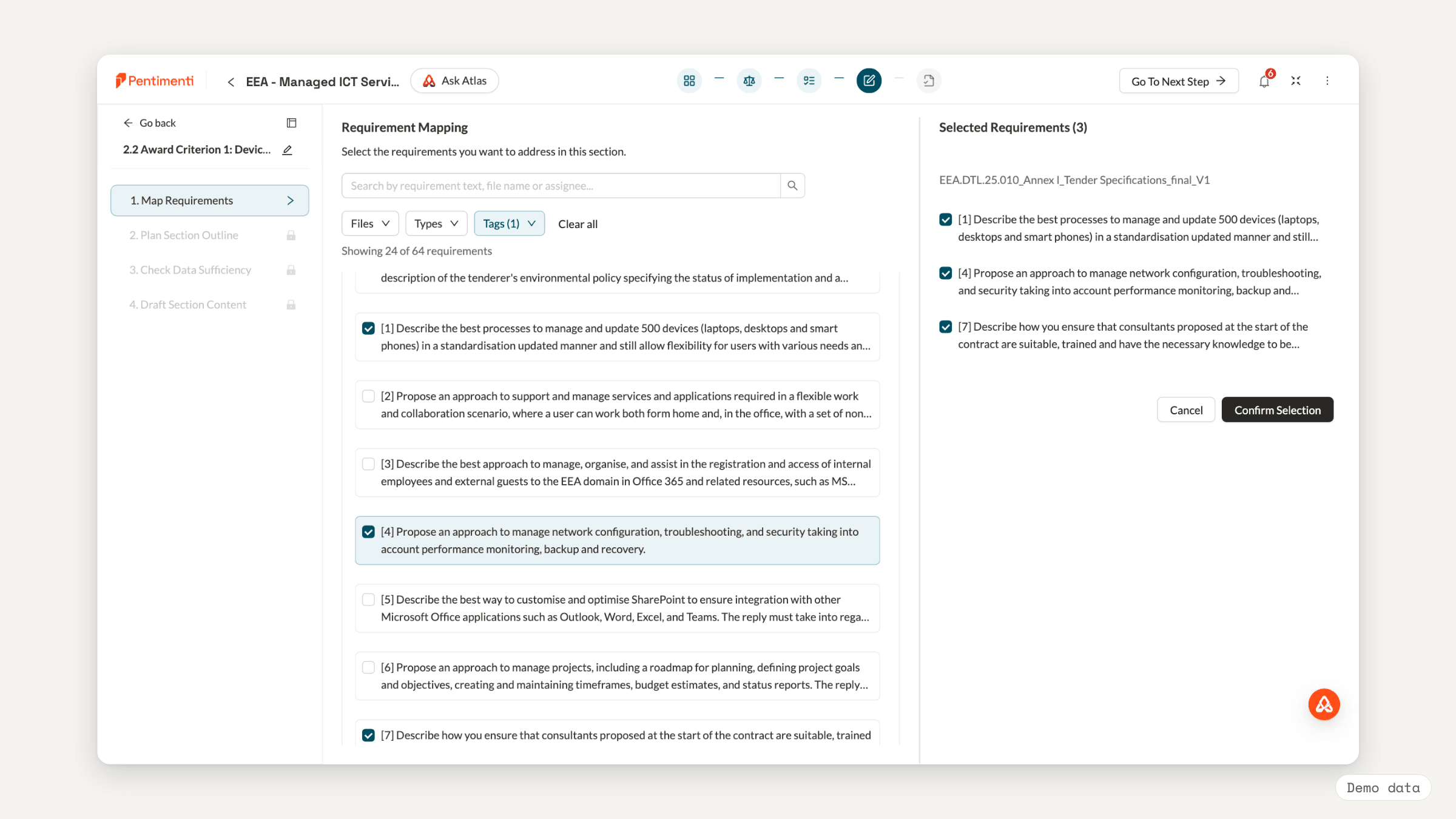
Atlas does not do two things for you. The extraction is a starting point, not a finished result: someone has to review the rows and fix them where a requirement has been split the wrong way. And the decision on whether you can meet a requirement, and the sign-off on the final bid, are still yours.
Four questions for the vendor who says "agent"
- Does the agent read the full tender pack, or only what it searches for?
- Can you see, for each requirement, where it sits in the tender documents and where in the bid it is answered?
- What happens to the requirements when an amendment arrives?
- What does the approver see before an answer is approved?
If the answer to all four is "you can ask the assistant", you have bought access. Not precision.