Switching Proposal Software: What to Migrate, What to Leave Behind, and What to Build Fresh
Switching proposal tools — by choice or because your vendor got acquired — is not a copy-paste job. What to migrate, what to leave behind, what to rebuild, and the four questions to ask any vendor before you sign.
Niklas Klarnskou
CEO of Pentimenti · LinkedIn
In late April 2026, pWin.ai acquired Vultron's customer portfolio and began transitioning its accounts. For the 400+ federal contractors who had standardised on Vultron, the decision was made for them: move to pWin, or move somewhere else. Either way, they are switching tools and retraining their teams.
If you are one of them, you already know the feeling. But you do not have to be a Vultron customer for this to land. Proposal teams switch tools constantly: a vendor gets acquired, pricing jumps at renewal, the AI roadmap stalls, or the tool you bought in 2022 was built for keyword search and your work has moved past it. The mechanics of a clean migration are the same regardless of which tool you are leaving.
The most common version we see is not a shutdown at all. It is a team on a mature, library-first platform like Loopio that has quietly outgrown it. Tools designed in the content-management era are very good at what they were built for: storing answers, organising a library, and coordinating humans through a response. But that architecture assumes a person drives every step and the software hands them the right paragraph to paste. Teams that now expect the software to read the solicitation, assemble a compliant first draft, and run the routine work end to end are not asking for a better library. They are asking for a different category of tool, and that is a switch, not an upgrade. The questions below apply to that move just as much as to a forced one.
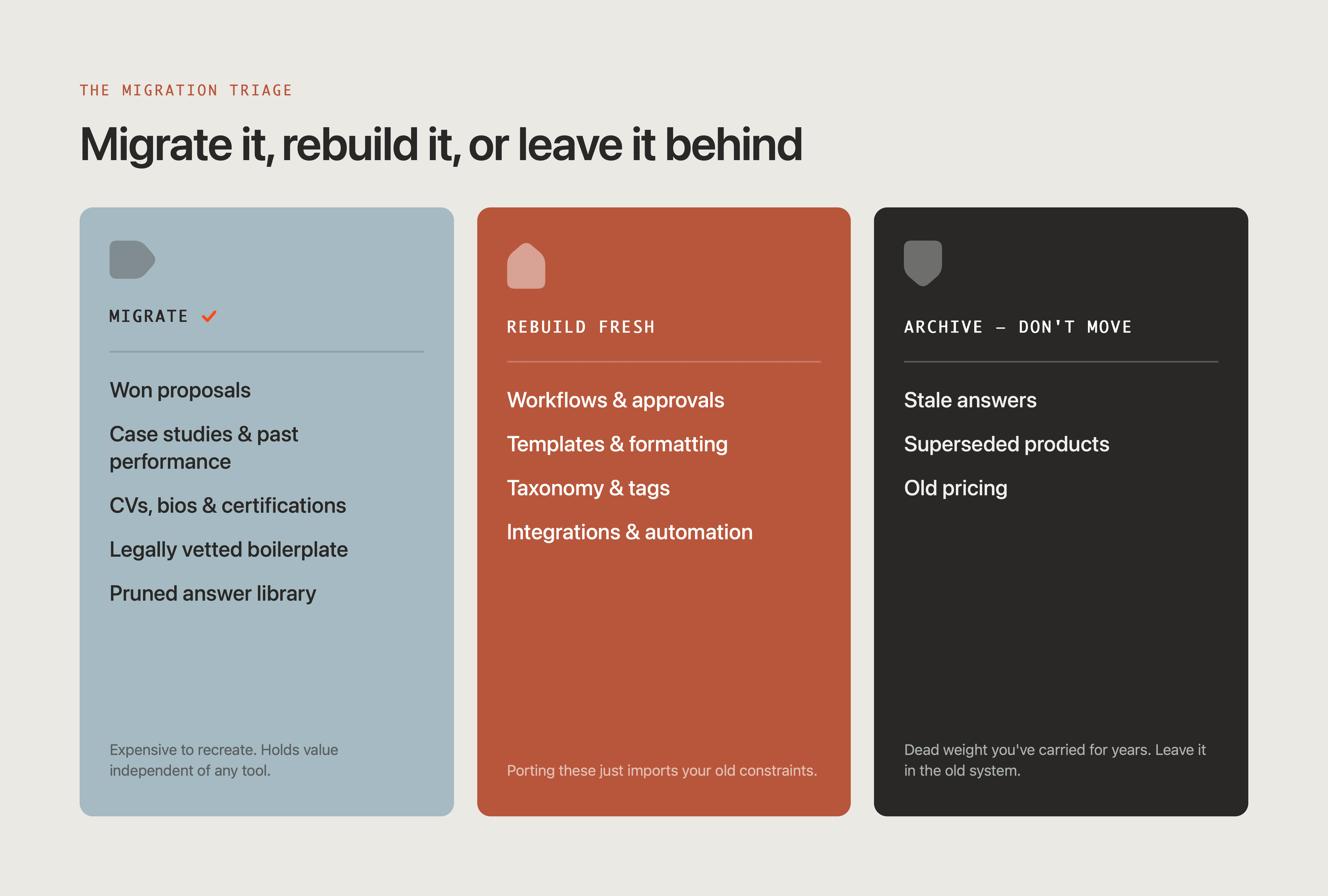
The mistake almost every team makes is treating migration as a copy-paste job. It is not. Some of your content is worth its weight in gold and should move with you. Some of it is dead weight that you have been carrying for years and should leave in the old system. And some of what you are tempted to migrate, the workflows and templates, should be rebuilt from scratch in the new tool because porting it just imports your old constraints.
Here is how to decide.
What is worth migrating
These assets are expensive to recreate and hold value independent of any tool. Move them.
Won proposals. Your actual submitted, winning responses are the single most valuable asset you have, and the one teams most often forget to export. They are proof of what works, and for any AI-native tool they are the best possible grounding data. Export the full documents, not just fragments.
Case studies, proof points, and past performance. Hard to write, slow to age, and reusable across dozens of bids. These migrate cleanly because they are mostly self-contained narrative.
CVs, team bios, and certifications. Structured, reusable, and painful to rebuild. Bring the current versions and leave the outdated ones. If your new tool drafts from your existing documents rather than a curated library (as our AI proposal and RFP response software does), this is the material it works from, so it is worth migrating cleanly.
Legally vetted boilerplate. Security statements, GDPR and data-processing language, ISO and compliance text that someone in legal signed off on. Migrate it, then re-verify currency before first use. Vetted once does not mean vetted forever.
Your best answer-library entries, pruned hard. Most answer libraries are 60 to 80 percent stale: superseded products, old pricing, answers nobody has used in two years. Do not migrate the graveyard. Migrate the canonical, current, frequently-reused answers and archive the rest. A clean library of 300 trusted answers beats 2,000 you no longer trust.
What to build fresh
Porting these feels efficient and almost always backfires. They encode the assumptions of the tool you are leaving.
Workflow and approval configurations. Your old review chains were shaped by your old tool's limits and your old headcount. Rebuilding forces you to ask whether the process still makes sense. Do not port dysfunction just because it is configured.
Templates and document formatting. These are tool-specific, frequently break on import, and are faster to rebuild clean than to debug after a messy export. Treat the switch as a chance to standardise.
Taxonomy, tags, and folder structures. Almost every mature library has an accreted, inconsistent tagging scheme that no two people use the same way. Design a clean taxonomy in the new tool instead of importing the mess.
Integrations and automation rules. Re-scope these to the new tool's data model rather than recreating the old wiring one-to-one. The integration that made sense for a retrieval tool may be irrelevant for an agentic one.
The 4 questions to ask any vendor before you commit
The Vultron situation is the clearest argument in years for asking these before you sign, not after.
1. How do I get my data out? Ask for the exit before you discuss the entry. In what formats can you export your content, on what timeline, at what cost, and without vendor assistance you have to pay for? Under the EU Data Act, switching and porting rights are tightening, but contractual reality still varies widely. A vendor that hesitates on this question is telling you something.
2. Where does my content live, and how is it used? Data residency, retention, and IP. Specifically: is your proprietary proposal content used to train models that also serve other customers, including your competitors? Get the answer in writing.
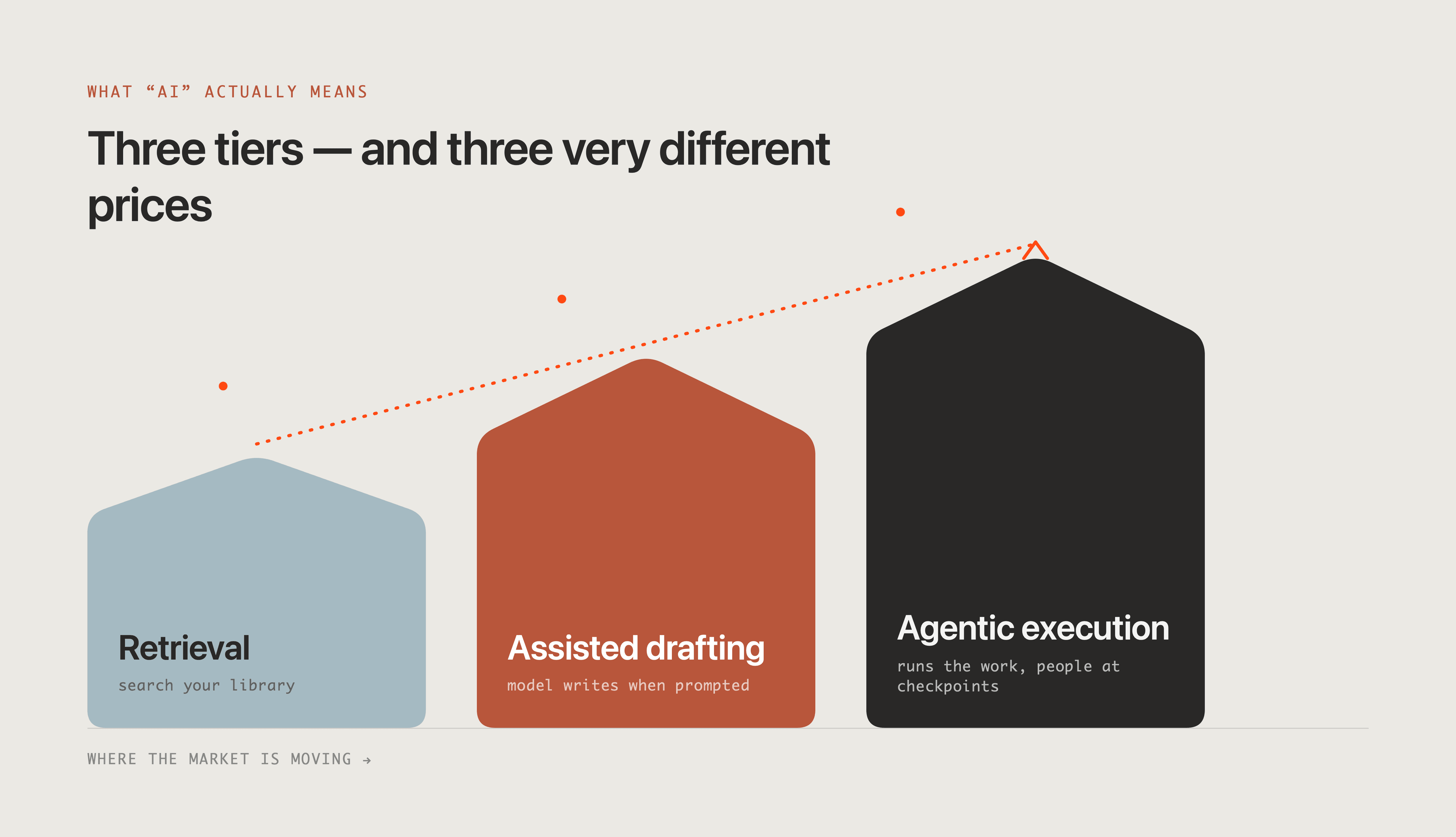
3. What does "AI" actually mean in this product? The market spans three very different things: retrieval (search across your library), assisted drafting (a model writes a section when prompted), and agentic execution (the system runs multi-step proposal work end to end with people at defined checkpoints). They carry very different prices and very different outcomes. Make the vendor show you which one you are buying, on your own content, in the demo. Do not pay agentic prices for retrieval, and do not buy retrieval when your problem is execution.
4. What is the real total cost, and how does it scale? Per-seat, consumption-based, or hybrid? What triggers overage, and what does your bill look like at two or three times your current proposal volume? The headline price is rarely the price you pay in year two.
Migration readiness checklist
Work through this before you flip the switch.
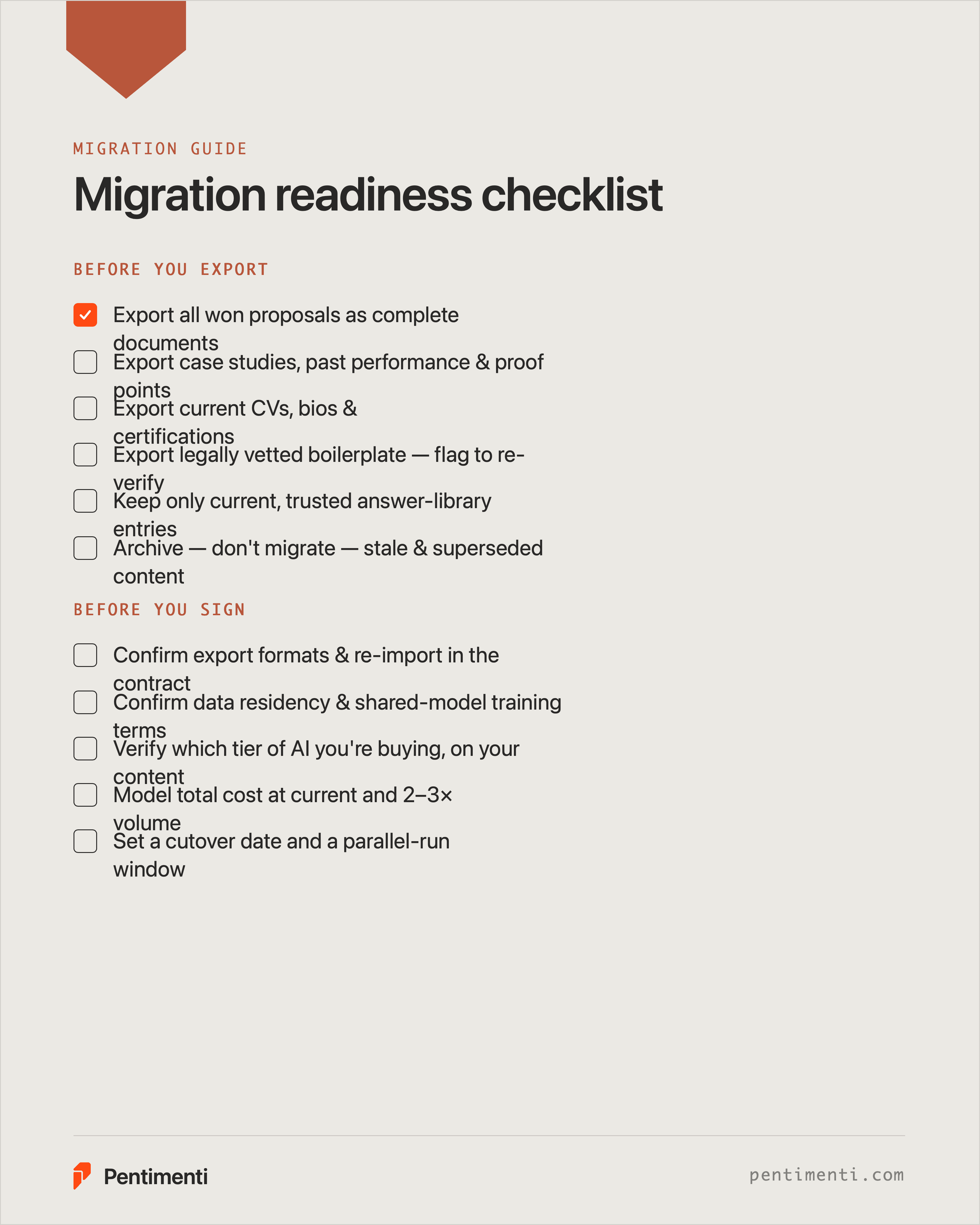
- Exported all won proposals as complete documents
- Identified and exported case studies, past performance, and proof points
- Exported current CVs, bios, and certifications
- Exported legally vetted boilerplate, flagged for re-verification
- Audited the answer library and selected only current, trusted entries to migrate
- Archived (not migrated) stale and superseded content
- Confirmed export formats and that you can re-import them
- Decided which workflows and templates to rebuild rather than port
- Drafted a clean taxonomy for the new tool
- Confirmed the new vendor's data export terms in the contract
- Confirmed data residency and whether your content trains shared models
- Verified which tier of AI you are actually buying, tested on your own content
- Modelled total cost at current and at 2 to 3x volume
- Set a cutover date and a parallel-run window before decommissioning the old tool
A note on timing
A forced migration is disruptive, but it is also the rare moment when a proposal team gets to discard years of accumulated mess and start clean. Teams that treat it as a lift-and-shift recreate their old problems in a new interface. Teams that treat it as a rebuild come out faster, leaner, and on a tool that fits the way they actually work now.